Control Element's Visibility with Conditional Rules
Take control of content visibility on your Elementor website with DynamicKit’s Advanced Display Conditions feature. The Display Conditions options provide you with the flexibility to show or hide content based on various custom rules.
Personalize content based on user identity and behavior. Example: Show “Sign Up” to logged-out users and “My Account” to logged-in users.
Login Status — Show different content to logged-in or logged-out users.
Current User — Display personalized greetings or dashboards.
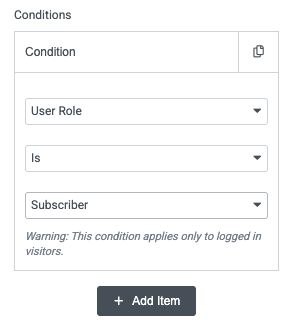
User Role — Perfect for membership sites (e.g., Subscriber vs. Customer vs. Admin).
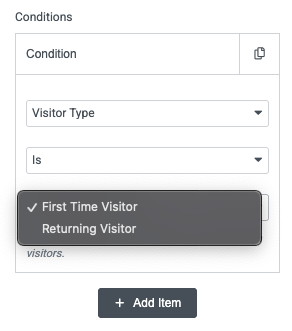
Visitor Type — First-time vs. returning visitors.
Page-Specific & Singular Conditions
Show content only on certain types of pages. Example: Show a special banner only on product posts or a specific custom post type.
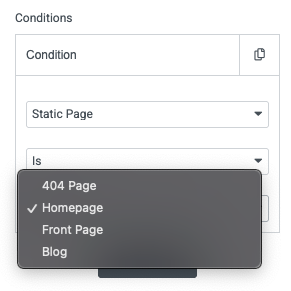
Page, Post, Static Page
Post Type
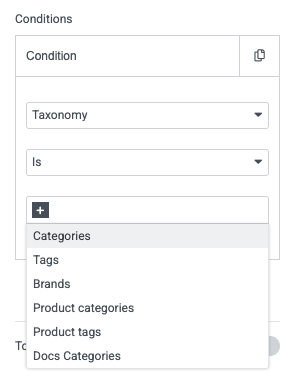
Taxonomy Term
Post Term
Archive Conditions
Target users browsing blog index, product archives, author pages, or search results. Example: Show an archive-only offer such as “Browse More Categories”
Taxonomy
Term
Date Archive
Author
Search Results
Date & Time Logic
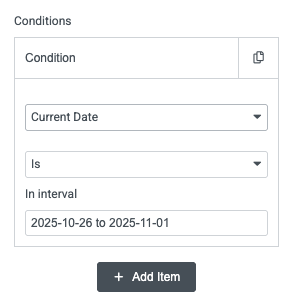
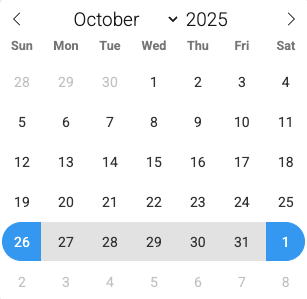
Schedule content to appear only at a certain time. Example: Show “Weekend Sale” CTA only on Saturday & Sunday.
Current Date
Current Date & Time
Time of Day
Day of Week
ACF-Powered Conditional Logic
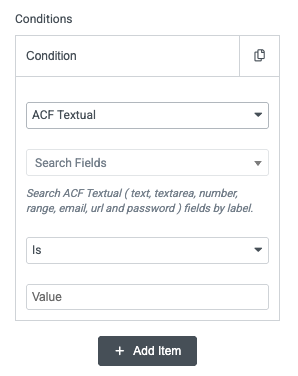
Use any ACF field value to conditionally display elements. Example: Display a badge only when an ACF “Featured” field is true.
ACF Textual
ACF Choice
ACF True/False
ACF Date/Time
ACF Post
ACF Taxonomy
Device, Environment & Browser Conditions
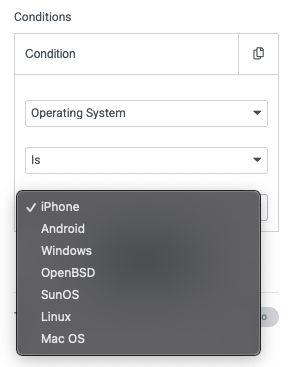
Fine-tune visibility based on how users access your site. Example: Hide heavy animations for mobile users or show custom content for Googlebot.
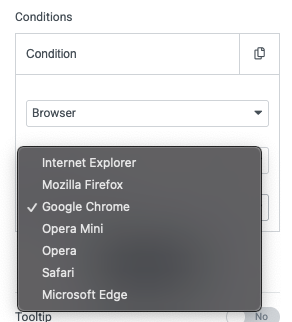
Operating System
Browser Type
Search Bots
Shortcode Output
URL Request Parameters
Flexible Logic Controls
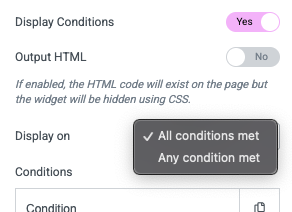
DynamicKit lets you set how conditions work together:
✔ All Conditions Must Match (AND Logic)
Useful for precise targeting (e.g., Logged-in AND User Role = Customer AND Day = Sunday)
✔ Any Condition Can Match (OR Logic)
Useful for broad targeting (e.g., iOS users OR Android users)
Frequently Asked Questions
What is DynamicKit's Display Conditions feature?
DynamicKit’s Display Conditions let you control exactly when and to whom Elementor widgets, sections, or entire pages appear. You can target users based on login status, role, date/time, device, ACF values, browser, request parameters, and more—without writing any code.
Can I show or hide Elementor content for logged-in or logged-out users?
Yes. You can display content only to logged-in users, show guest-specific CTAs, or create private dashboards using simple login-based conditions.
Does Display Conditions work with ACF fields?
Absolutely. DynamicKit lets you use ACF Text, Choice, True/False, Taxonomy, and Date/Time fields to determine visibility. This is powerful for personalized content, dynamic templates, or conditional WooCommerce messaging.
Can I combine multiple display rules?
Yes. You can choose All Conditions Met (AND) or Any Condition Met (OR) logic. This makes it possible to build complex rules like: “Show this block only on Saturday AND only for logged-in users.”
Is there an option to keep the HTML output but hide the widget visually?
Yes. Enabling Output HTML keeps the element in the DOM and hides it using CSS, which is crucial for SEO, crawlers, and accessibility-related use cases.
Does this replace Elementor's built-in responsive visibility?
It extends it dramatically. Elementor’s visibility only controls devices (mobile/tablet/desktop). DynamicKit adds dozens of condition types, including user data, archive context, browser, OS, ACF fields, and time-based logic.
Can this feature improve conversions?
Yes. Display Conditions let you show personalized offers, time-sensitive promotions, user-specific CTAs, and targeted content, which consistently improves engagement and conversion rates.