Make it easy for visitors to copy important text in just one click. Perfect for coupon codes, reference snippets, pre-written messages, or any text users may want to quickly grab and use.
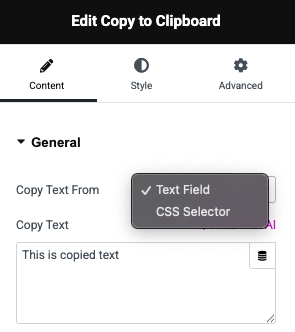
Choose how your text is copied. You can manually enter the text inside the widget or dynamically pull it from any element on the page using a CSS selector—making it highly flexible for both static and dynamic content.
PREFIX/SUFFIX
Customizable Prefix & Suffix
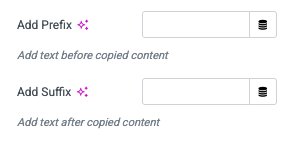
Easily add extra text before or after the copied content. This is perfect for cases where you want to include context, hashtags, or special formatting around the main copied value.
Feedback
Interactive Copy Feedback
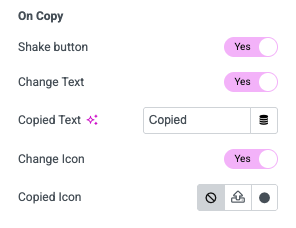
Enhance user experience with instant visual confirmation. Trigger button shake animations, change the button text (e.g., “Copied!”), or swap the button icon after copying to let users know their action was successful.
Style
Button Styling & Control
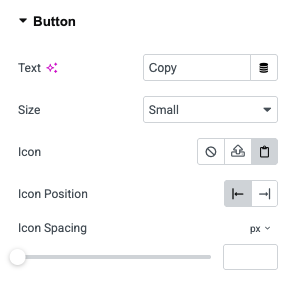
Design the button to match your site’s branding. Change the text, choose from multiple size options, add icons, adjust icon positions, and control spacing for a pixel-perfect look.
Click the button above to copy a text that you can paste anywhere.
Click the button above to copy a text that you can paste anywhere.
Use Case Examples
Coupon Codes: Allow users to copy discount codes with one click at checkout.
Reference Text: Make it easy to copy product SKUs, order IDs, or reference numbers.
Shareable Snippets: Provide ready-to-use messages, links, or templates that users can copy instantly.
Code Blocks: Let visitors copy code snippets or commands without selecting text manually.
Contact Info: Provide quick copy buttons for phone numbers, email addresses, or support IDs.