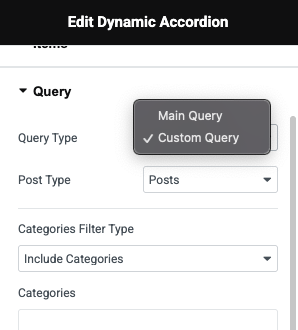
You can display posts or any post type as accordion items with DynamicKit's Dynamic Accordion widget. To do this, please follow the steps below:
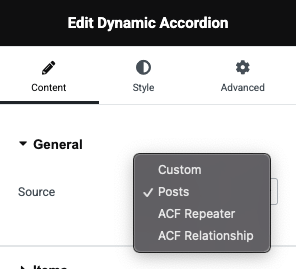
Source#
Change the Source to "Posts" in the widget.
Items#
You can now configure accordion items with various options.
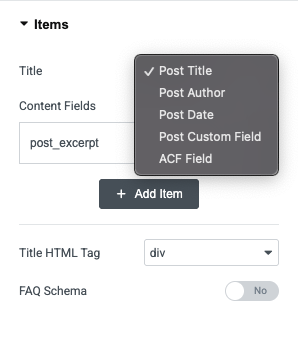
Title: Select a post component to display as the accordion item title. This includes the post title, author, date, and custom fields. You can even select an HTML tag for the accordion title.
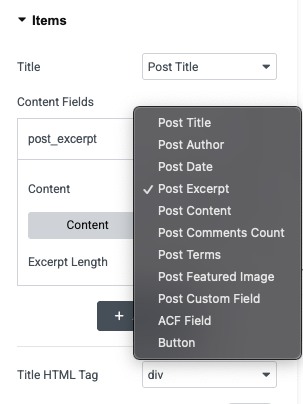
Content Fields: Display content from the given post elements: post title, author, date, excerpt, content, comments count, terms, featured image, custom fields. You can even display a button if there is a link in one of your custom fields or post link.
FAQ Schema: If you create an FAQ page and want to show the structured data in Google search results, you can enable this feature. It will output the FAQ related schema markup that search engines understand.
Query#
The advanced query logic in the Dynamic Accordion enables you to filter posts by category, tags, author, or other criteria, providing granular control. You can find more details here.